






Use our go to market strategy template to plan, align, and launch faster. Simplify your GTM process and build a winning strategy in just minutes today.
A go to market strategy template gives you a structured way to plan how a product reaches its customers, without starting from a blank page every time. Instead of guessing which sections matter, you fill in a proven framework covering target market, positioning, pricing, channels, and launch sequencing, then adapt it to your specific product and timeline.
This article walks through how to use a go to market plan template effectively, what separates a strong go to market strategy example from a weak one, and how tools like HubSpot fit into the process.
What a Go to Market Strategy Template Actually Covers
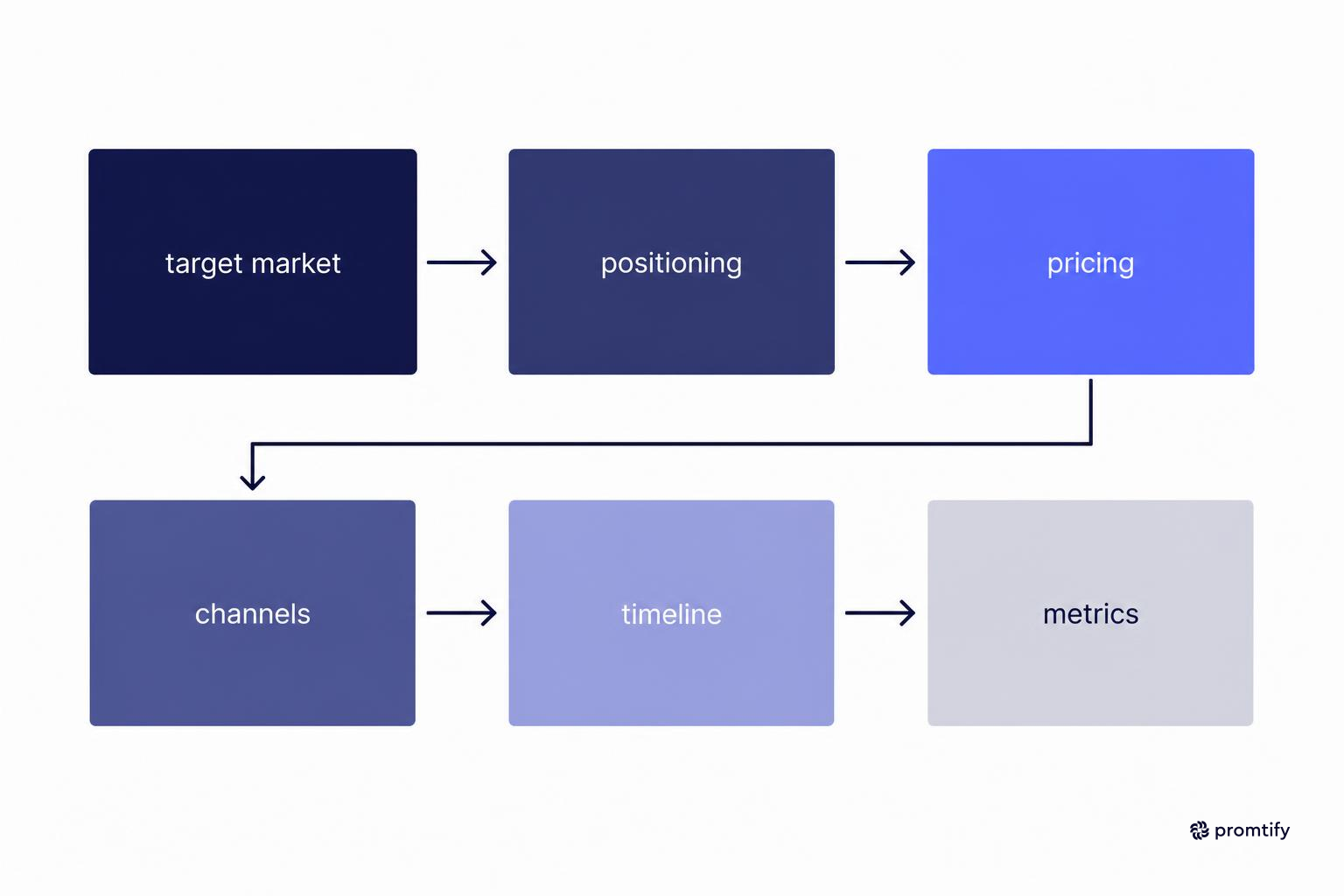
A go to market strategy template is a pre-structured document that organizes the decisions you need to make before launching a product, feature, or entering a new market segment. It typically includes sections for your target audience, value proposition, competitive positioning, pricing model, distribution channels, and the metrics you will track after launch.
The purpose is not to fill in boxes for their own sake. Each section forces you to answer a question that, if left unanswered, usually causes launches to stall or underperform. Who is this for? Why should they care? How will they find out about it? What happens if the first channel does not work?
Using a template also keeps teams aligned. When marketing, sales, and product all reference the same document, there is less room for conflicting assumptions about who the buyer is or what the launch timeline looks like. This alignment matters more than it sounds. A sales team that believes the launch targets enterprise buyers while marketing is writing copy for small business owners will produce materials that work against each other. The template forces these assumptions into the open before money gets spent on campaigns, sales collateral, or event sponsorships built around the wrong audience.
There is also a decision-making benefit that goes beyond alignment. A template acts as a forcing function for prioritization. Without one, teams tend to discuss whatever topic feels most urgent in the moment, which is often the channel or the messaging, while quieter but equally important questions like pricing structure or post-launch support readiness get pushed to the end of the conversation, or skipped entirely. A template puts every major decision on equal footing so none of them get silently deprioritized.
Core Sections You Should Expect
- Target market definition: A clear description of the customer segment you are prioritizing, including firmographic or demographic details and the specific problem they face.
- Positioning and messaging: How you describe the product relative to alternatives, and the core message that will appear in sales and marketing materials.
- Pricing and packaging: The pricing model, tiers, and any launch-specific offers.
- Distribution channels: The paths through which customers will discover and buy the product, such as direct sales, partnerships, self-serve signup, or paid acquisition.
- Launch timeline: A sequence of milestones from internal readiness to public announcement and post-launch follow-up.
- Success metrics: The specific numbers you will review to judge whether the launch met expectations.
Many templates also include a section for risks and assumptions, which is worth adding even if your chosen template does not have one by default. This section lists the beliefs your plan depends on, such as "we assume the primary buyer has budget authority" or "we assume our current support team can handle the expected volume of new tickets." Writing these down does not guarantee they will hold true, but it means that when something in the launch does not go as expected, the team can quickly check whether a known assumption failed rather than starting the diagnosis from zero.
Why Teams Default to a Go to Market Plan Template Instead of Starting Fresh
Building a go to market plan from scratch takes time most teams do not have before a launch deadline. A template shortcuts the structural work so the team can spend its time on the harder questions, like which channel will actually convert this specific audience.
Templates also reduce the risk of missing a section entirely. It is common for teams to spend weeks on messaging and positioning, then realize two days before launch that nobody defined how success will be measured. A template surfaces that gap early, when there is still time to address it.
There is a difference between a go to market plan template and a go to market strategy template, though the terms are often used interchangeably. A plan template tends to focus more heavily on timeline, task ownership, and execution steps. A strategy template focuses more on the reasoning behind the launch: why this market, why now, why this positioning. Most practical templates blend both, since execution without strategic reasoning tends to produce launches that are on schedule but poorly targeted.
Another reason teams default to templates is that launches rarely happen in isolation. A single company might run several go to market motions in the same year: a new feature here, an expansion into a new region there, a pricing change somewhere else. Rebuilding the planning structure each time wastes effort and introduces inconsistency, since each team member might organize their thinking differently if left to their own devices. A shared template means that six months from now, when someone reviews a past launch to understand what worked, they are reading a document with a familiar structure instead of reconstructing the plan from scattered notes, slide decks, and email threads.
There is also a training benefit that is easy to overlook. New hires joining a marketing or product team often learn the company's go to market process by reading past completed templates rather than sitting through long onboarding sessions. A consistent template format turns every previous launch into a kind of training material, since the structure stays the same even as the product and audience change.
Step-by-Step: Filling Out Your Template
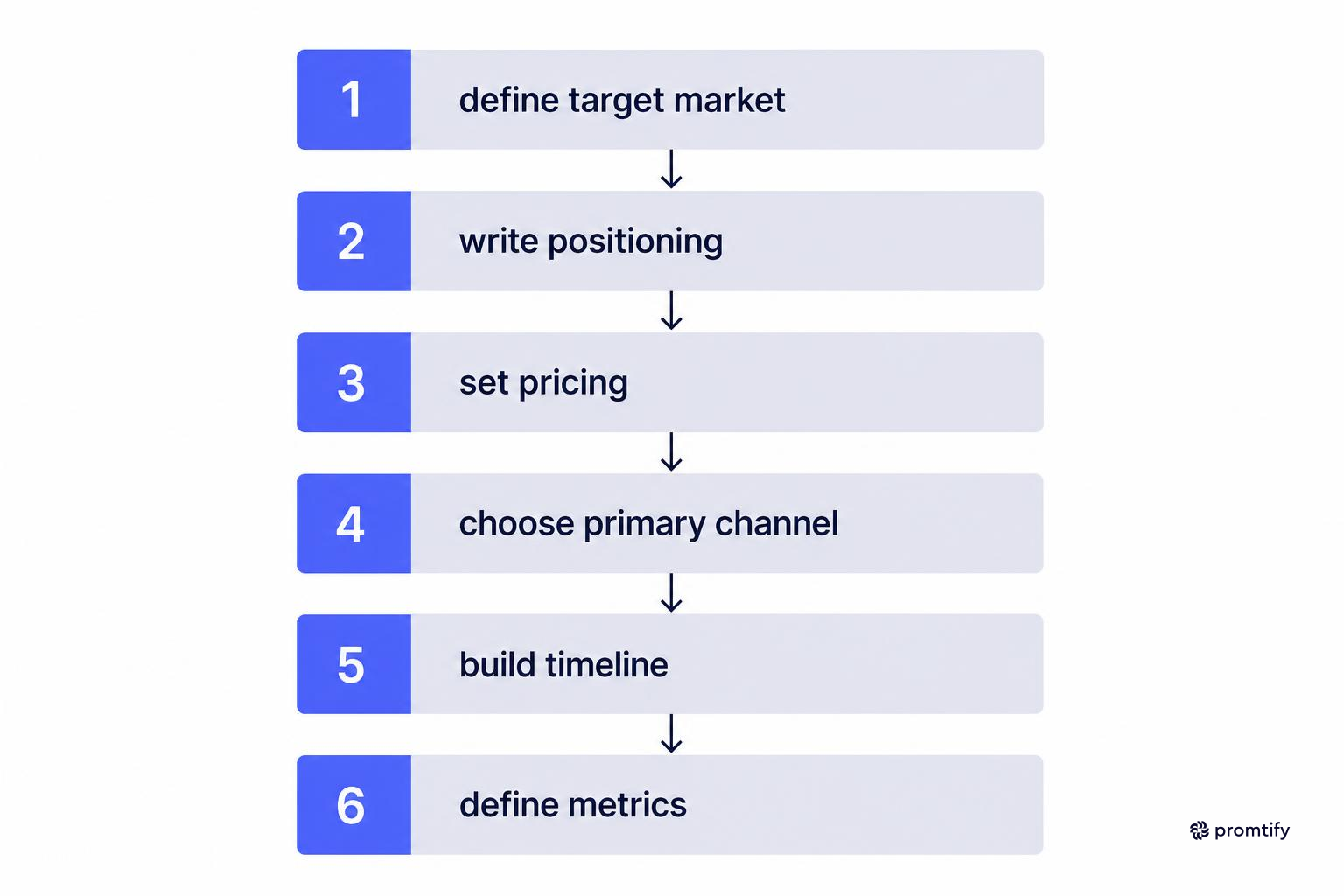
The order in which you complete a go to market template matters. Starting with channels before you have defined your audience usually leads to wasted budget on the wrong platforms.
1. Define the Target Market Before Anything Else
Start by describing who you are selling to in specific terms. "Small businesses" is not specific enough to guide channel or messaging decisions. "Operations managers at logistics companies with 50 to 200 employees who currently track shipments in spreadsheets" gives you something to design around.
If you serve multiple segments, rank them. Trying to address every segment equally in a single launch usually dilutes the messaging to the point where it resonates with none of them strongly.
A useful exercise at this stage is writing a short paragraph describing a single representative buyer: what their day looks like, what tool they currently use to solve the problem your product addresses, and what would need to be true for them to switch. If you cannot write this paragraph with any confidence, that is a signal you need more research before moving further into the template, since every later section depends on getting this part right. Positioning built on a fuzzy audience description tends to read as generic no matter how much time is spent polishing the language.
It also helps to separate the target market definition from the total addressable market. A company might technically be able to sell its product to any business with more than ten employees, but the go to market template should name the narrower slice of that market the launch is actually built for. Broader expansion can come later, once the initial segment validates the product and messaging.
2. Write the Positioning Statement
Your positioning statement should explain what the product is, who it is for, and why it is different from the alternative your buyer is using today, including doing nothing. This statement becomes the foundation for every piece of sales and marketing copy that follows.
Avoid writing positioning that could apply to any competitor in your category. If you could swap your company name for a competitor's and the statement still reads true, it needs more specificity.
A practical way to test a positioning statement is to read it aloud to someone unfamiliar with the product and ask them to repeat back what problem it solves and for whom. If they struggle to answer, or if their answer is vague, the statement likely leans too heavily on internal jargon or industry buzzwords instead of describing the actual benefit in plain language. Strong positioning tends to name the specific outcome the buyer gets, not just the feature set of the product.
It is also worth drafting two or three alternate versions of the positioning statement and comparing them side by side, rather than settling on the first version written. Teams often discover that the second or third attempt is sharper simply because the act of rewriting forces a clearer understanding of what actually matters to the buyer.
3. Set Pricing and Packaging
Decide on your pricing model and tiers before you finalize channels, since pricing often determines which channels make sense. A high-touch enterprise price point usually requires direct sales outreach, while a low-cost self-serve product can rely more on content and paid acquisition.
When setting pricing within the template, consider not just the number itself but how it will be communicated. A product priced per seat behaves differently in marketing materials than one priced per usage tier or as a flat annual fee. If your launch includes a limited-time offer or introductory discount, note the exact start and end dates for that offer inside the template so the marketing and sales teams do not end up quoting different terms to prospective customers.
Packaging decisions, such as which features sit in which tier, also affect messaging. If your most compelling feature is locked behind the highest tier, your positioning statement and pricing section need to agree on how that gets communicated, since a mismatch here is a common source of confused prospects during the sales process.
4. Choose Your Primary Channel First
Resist the urge to list every possible channel in your template. Pick one primary channel based on where your target audience already spends time and attention, then treat other channels as secondary tests.
For a product aimed at technical buyers, that might mean developer communities or technical content. For a product aimed at marketing teams, it might mean paid social or partnerships with agencies.
Choosing a primary channel should be based on evidence rather than preference. If your team has run previous campaigns, look at where past conversions actually came from rather than where the team assumes the audience spends time. If this is a genuinely new audience with no historical data, a small test across two or three channels before committing significant budget is more reliable than guessing based on what worked for a different product or segment.
Once the primary channel is chosen, define what "working" looks like for that channel specifically within the template. A content channel might be judged on organic traffic and time to first qualified lead, while a paid channel might be judged on cost per acquisition within the first few weeks. Setting this expectation at the planning stage prevents the team from prematurely abandoning a channel that simply needs more time, or conversely, sticking with a channel for too long out of habit.
5. Build the Launch Timeline
Map out milestones working backward from your public launch date. Include internal readiness steps such as sales training and support documentation, not just external marketing activities.
A realistic timeline accounts for dependencies. Sales enablement materials need the positioning finalized first. Paid campaigns need creative assets, which need messaging finalized first. Sequencing these correctly prevents last-minute scrambling.
It helps to build the timeline with buffer days around each dependency rather than assuming every task finishes exactly on schedule. Creative assets, in particular, often go through more rounds of revision than initially expected, and a timeline with no slack means any delay in one step pushes back the entire launch date. Building in a few extra days around the steps most likely to slip, typically anything involving design or legal review, keeps the overall schedule more resilient.
The timeline section of the template should also name a single owner for each milestone, not just a team. "Marketing" owning a task is vague enough that it can be unclear who is actually accountable when the deadline arrives. Naming an individual, even if multiple people contribute to the work, keeps the timeline functional rather than aspirational.
6. Define Success Metrics in Advance
Agree on the specific metrics that will determine whether the launch succeeded, and set this before the launch happens, not after. Common metrics include signups, qualified pipeline generated, conversion rate from trial to paid, or revenue in the first quarter post-launch, depending on your business model.
Beyond naming the metric, assign a specific target and a specific review date. A metric without a target number is just an observation, not a measure of success or failure. Similarly, agreeing in advance on when the team will formally review the numbers, whether that is two weeks, one month, or one quarter after launch, prevents the review from happening too early, when the data is not yet meaningful, or so late that course corrections become harder to make.
It is also worth distinguishing leading indicators from lagging ones inside this section. Signups or demo requests tend to show up quickly and can tell you early whether the messaging and channel are resonating. Revenue or retention figures take longer to materialize but matter more in the long run. A template that only tracks lagging indicators leaves the team unable to react until it is too late to adjust the current launch, while one that only tracks leading indicators risks declaring success before the business impact is actually confirmed.
Go to Market Strategy Example: Reviewing What Strong Plans Have in Common
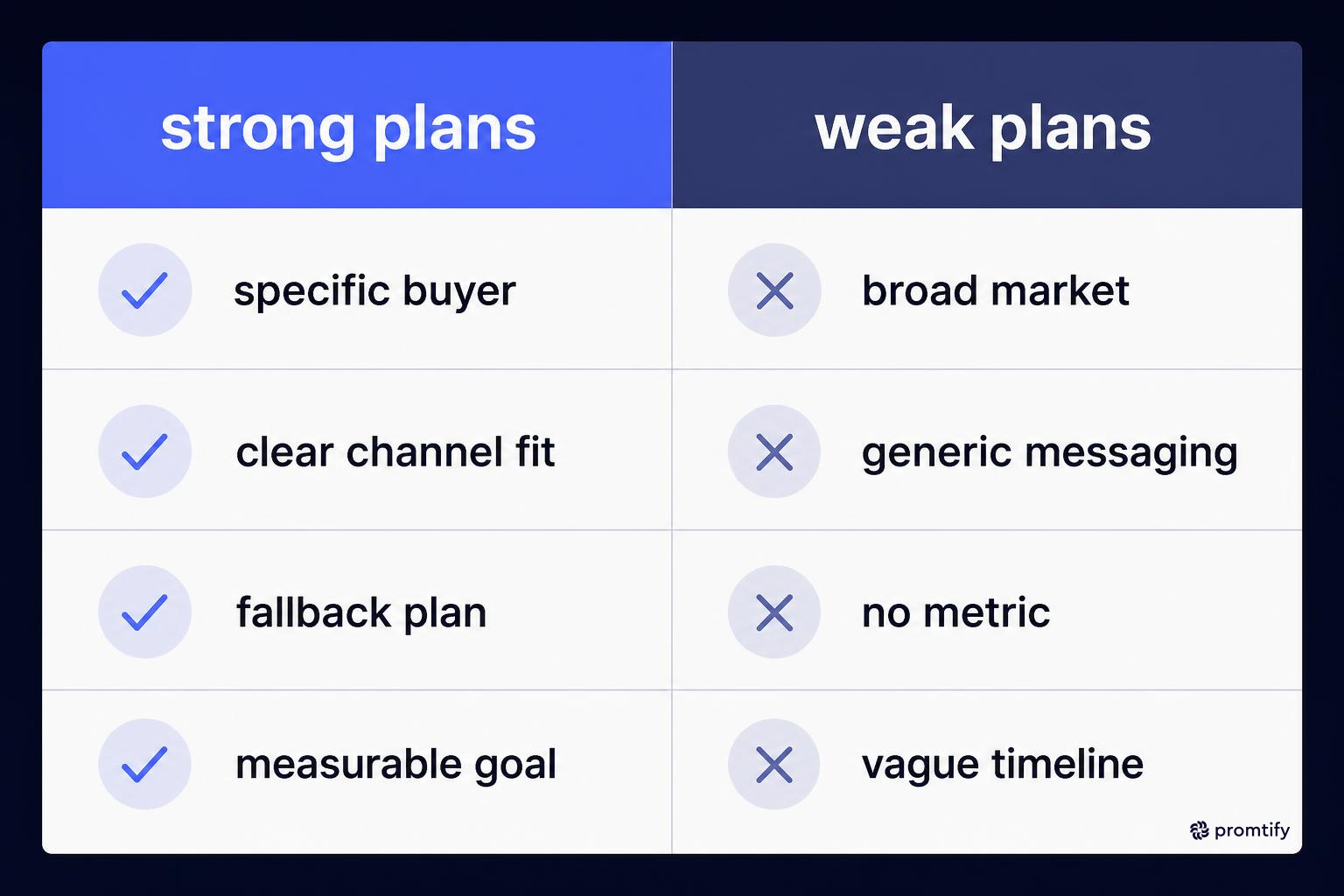
Looking at a go to market strategy example from a company that executed well can clarify what separates a usable plan from a vague one. Strong examples share a few traits regardless of industry.
They name a specific buyer persona rather than a broad market category. They tie the chosen channel directly to where that persona already spends time, rather than defaulting to whatever channel the team used last time. They include a fallback plan for what happens if the primary channel underperforms in the first few weeks.
Weak go to market strategy examples tend to share the opposite problems. The target market is described too broadly to act on. The messaging is generic enough to apply to any competitor. There is no defined metric for success, so the team cannot say with confidence whether the launch worked.
When you review go to market strategy examples from other companies, look past the surface tactics (ads, content, events) and focus on the reasoning behind each choice. The tactic that worked for one company may fail for yours if the underlying audience or product category is different.
A useful habit when studying any go to market strategy example is to ask what the team would have done differently if the primary channel had failed outright. Strong plans usually have an answer ready, because the fallback was considered during planning rather than improvised under pressure after the first weeks of disappointing results. Plans that treat the chosen channel as the only possible path tend to fall apart the moment that channel underperforms, since there is no pre-agreed alternative and the team has to make a rushed decision instead of executing one it had already thought through.
It is also worth noticing how strong examples handle internal communication during the launch window itself. Teams that documented their go to market plan clearly tend to have shorter status meetings during launch week, since questions about target audience, messaging, or success criteria were already answered in the shared document. Teams without a clear plan often spend launch week re-litigating decisions that should have been settled weeks earlier, which pulls attention away from actually executing the launch.
Using HubSpot Alongside Your Go to Market Strategy
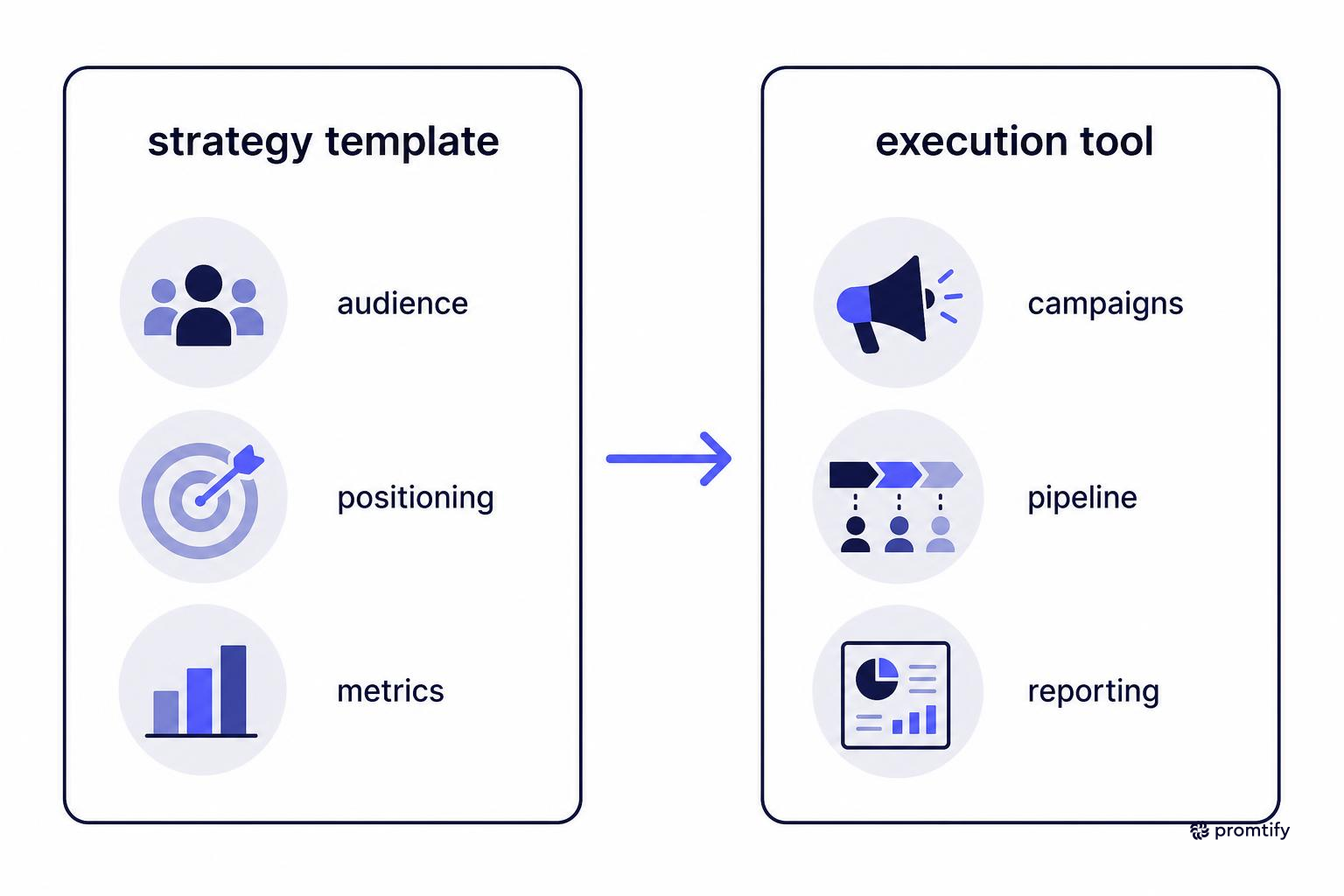
A hubspot go to market strategy approach usually centers on using HubSpot's CRM and marketing tools to execute the plan you have already built in your template, rather than replacing the strategic thinking itself. HubSpot is well suited for tracking the operational side: lead sources, campaign performance, email sequences, and pipeline stages tied to the launch.
If your go to market plan template specifies a content-led or inbound channel strategy, HubSpot's marketing hub can handle the publishing and lead-scoring workflow. If your plan relies more heavily on outbound sales, the CRM side can track account ownership and deal stages tied to the new product or segment.
The template and the tool serve different purposes. The template defines what you are trying to achieve and why. HubSpot, or any similar platform, helps you execute and measure it. Teams sometimes skip the template step and jump straight into building HubSpot workflows, which often results in well-organized execution of a strategy that was never clearly defined in the first place.
In practice, the connection between the two works best when the metrics defined in your template map directly onto the reporting fields available inside HubSpot. If your template specifies "qualified pipeline generated within 60 days" as a success metric, set up the corresponding deal stage and date filters in HubSpot before the launch starts, rather than trying to reconstruct the numbers after the fact from a less structured report. This small step at the start of the process saves significant time when the team sits down to review results against the targets set in the template.
It is also worth deciding, during the planning stage, which parts of the launch will be tracked manually versus automatically. Some smaller launches do not justify building out a full HubSpot workflow, and a simple spreadsheet might track the relevant numbers just as effectively. Reserve the more detailed HubSpot setup for launches where the volume of leads or deals is large enough that manual tracking would become unreliable or time-consuming.
Common Mistakes When Using a Go to Market Template
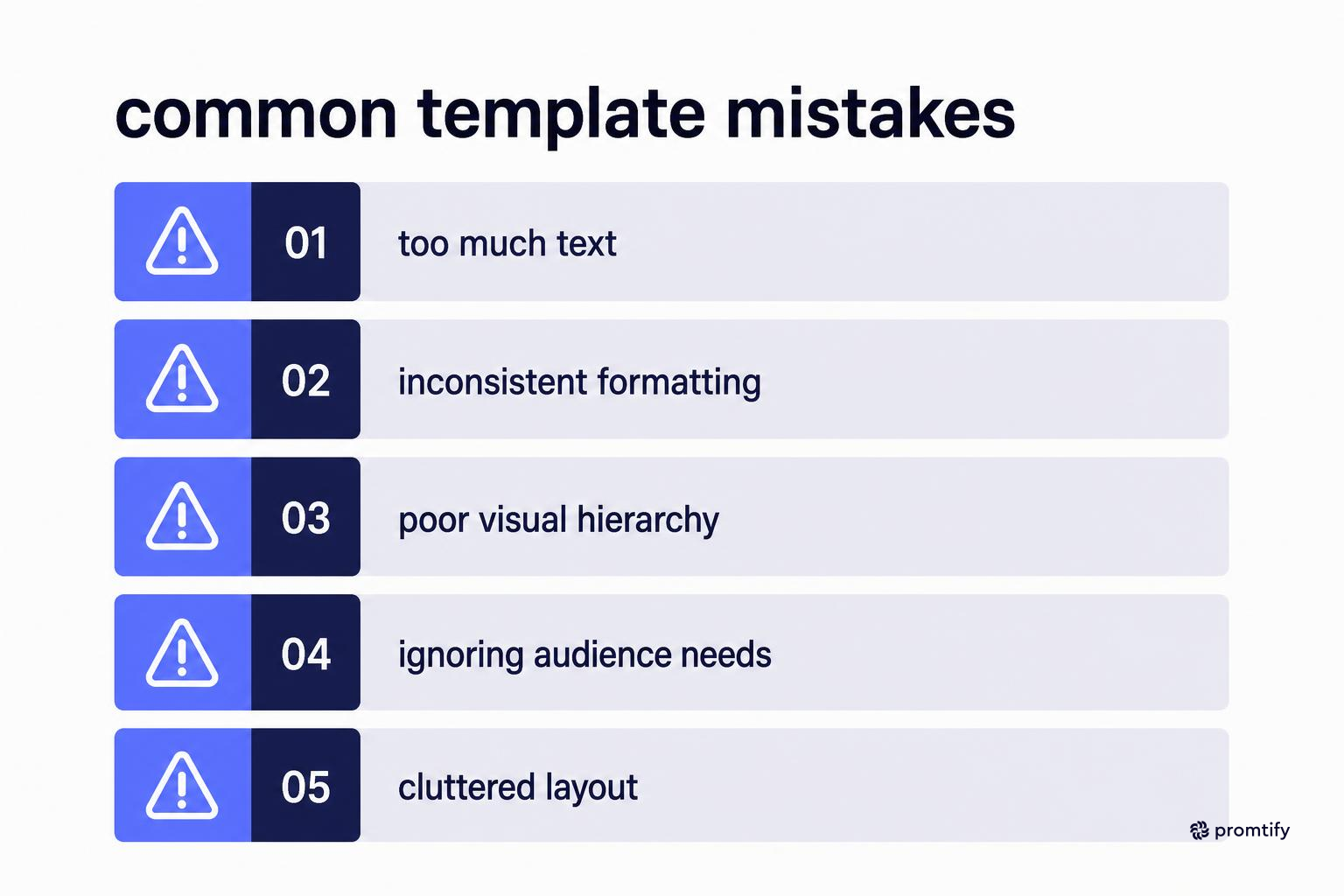
Even with a solid template, certain mistakes show up repeatedly across launches.
- Treating the template as a checklist instead of a reasoning tool: Filling in every section with surface-level answers does not substitute for genuine strategic thinking about why this launch should work.
- Skipping the competitive analysis section: Teams sometimes assume they know the competitive landscape well enough to skip documenting it, then discover during launch that a competitor has already claimed the positioning they intended to use.
- Listing too many channels: Spreading effort across five channels at once usually means none of them gets the attention needed to work.
- Leaving the metrics section vague: "Increase awareness" is not a metric. Replace it with a number you can actually measure, such as qualified leads generated or signups within a defined period.
- Not assigning ownership: A go to market plan template with no named owner for each section tends to stall once the initial planning meeting ends.
A related mistake worth naming separately is finalizing the template too early and then never revisiting it. A go to market plan is a working document during the lead-up to launch, and new information, such as a competitor announcement or an unexpected result from an early test, should prompt updates to the relevant section rather than being ignored because the document was already "finished." Teams that treat the template as a living reference tend to adjust course faster than teams that treat it as a one-time planning exercise filed away and forgotten.
Another common issue is writing the template in isolation and only sharing it with the broader team once it is complete. Positioning and messaging in particular benefit from input by whoever is closest to the customer, often sales or support, since they hear the actual language customers use to describe their problems. A template drafted entirely by one person in a marketing role risks sounding polished internally while missing the phrasing that would actually resonate with the buyer.
Adapting the Template for Different Launch Types
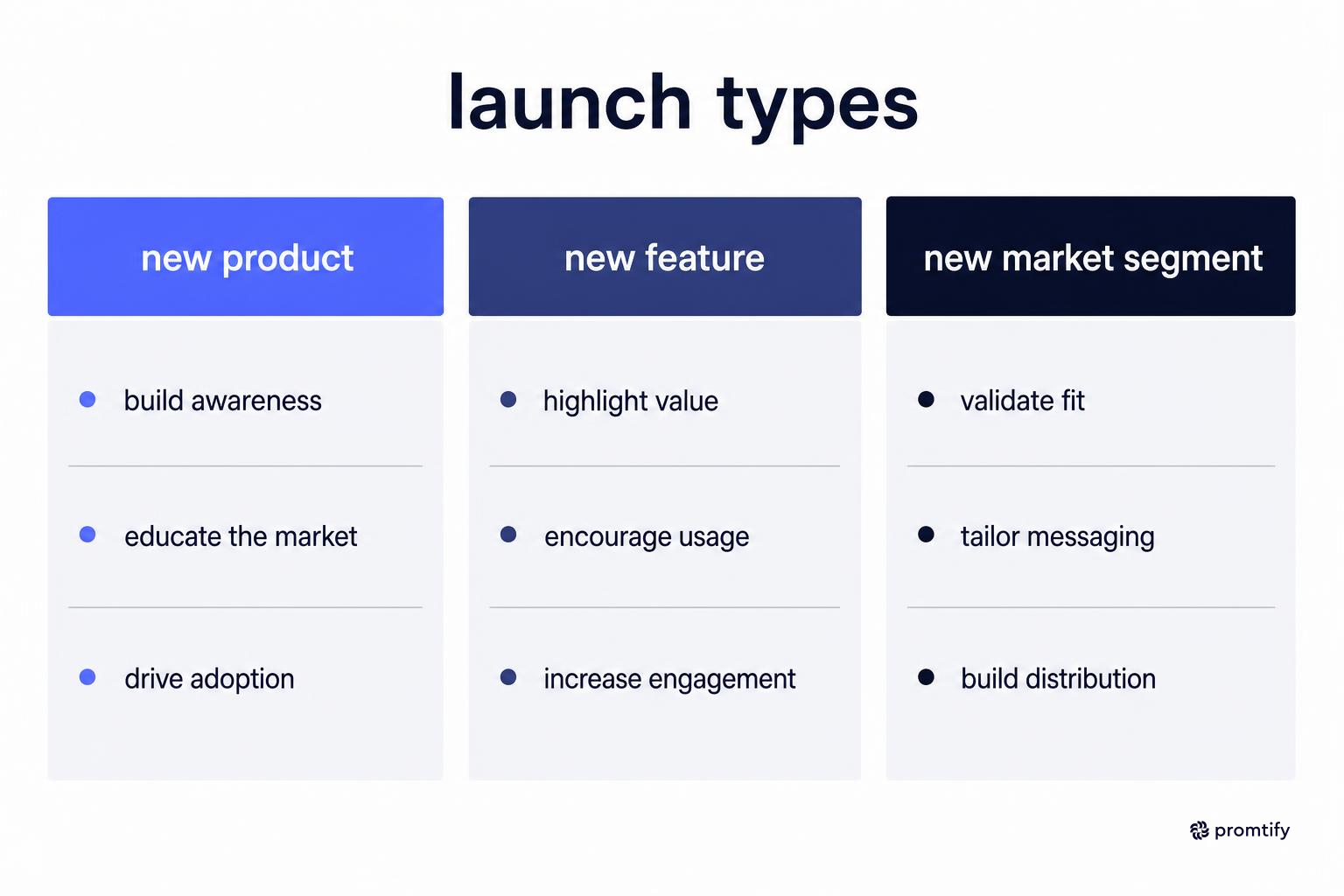
Not every go to market motion looks the same, and your template should flex depending on what you are launching.
New Product Launch
A brand-new product requires the most thorough version of the template, since you likely have little existing data about how your audience responds to messaging or channels. Expect to run smaller tests before committing significant budget to a single channel.
Because there is no historical performance data to lean on, this is also the launch type where the risks and assumptions section of the template carries the most weight. Every assumption about pricing sensitivity, channel effectiveness, and even the core problem the product solves is unverified until the launch actually happens, so documenting those assumptions clearly gives the team a reference point for what to test first once real data starts coming in.
New Feature Launch
For an existing product gaining a new feature, you can often shorten the target market and positioning sections, since you already understand your core audience. The focus shifts more toward messaging the specific benefit of the new feature and choosing the right channel to reach existing customers, such as in-app announcements or email.
Because the audience here is largely existing customers rather than net-new prospects, the metrics section should also shift focus. Instead of measuring new signups, a feature launch is often better evaluated by adoption rate among existing users, or by its effect on an existing metric like retention or upsell revenue. Reusing the same success metrics from a brand-new product launch template often does not fit this situation well.
Entering a New Market Segment
Expanding into a new segment, such as moving from small business customers to mid-market, often requires redoing the target market and positioning sections almost entirely, since the buyer's priorities and budget constraints are usually different. Reuse your pricing and channel learnings only where the new segment's buying behavior genuinely overlaps with your existing one.
This launch type also tends to surface internal readiness gaps that a new feature launch would not. A team used to selling to small businesses may lack experience navigating a longer sales cycle or a multi-stakeholder buying committee common in mid-market or enterprise deals. The template should account for this by including a section on internal capability, not just external messaging, since the best positioning in the world will not compensate for a sales process built for a different type of buyer.
How This Template Fits Into a Broader GTM Process
A go to market strategy template is one piece of a larger process that often includes pitch materials for internal stakeholders or investors, and a clear definition of what GTM means for your specific business model. If you need to present your plan to leadership or investors, a go to market slide deck can translate the template's content into a format suited for a short presentation.
If your team is still clarifying terminology before diving into execution, it can help to review what GTM stands for in a business context so that everyone involved in the planning is working from the same definitions.
For B2B software companies specifically, the considerations around sales cycles, buying committees, and trial-to-paid conversion are different enough that a dedicated resource on B2B SaaS go to market strategy is worth reviewing alongside the general template.
Keeping Context Across Planning Sessions
Go to market planning rarely happens in a single sitting. Teams revisit the template across multiple meetings, often with different people weighing in on positioning, pricing, and channel decisions at different times.
Promtify can help here by letting you save the context behind each version of your go to market plan, including why certain channels were ruled out or why the positioning changed between drafts, as a Markdown file that the next person on the project can pick up without needing a separate recap meeting. This matters especially when a product manager hands off launch execution to a marketing lead partway through, since the reasoning behind earlier decisions often gets lost otherwise.
If your team uses AI tools to draft sections of the plan, such as messaging variations or channel research, Promtify also gives you a way to store that conversation history so it stays attached to the project instead of living only in a chat window that gets closed and forgotten.
Where to Start
If you are beginning your own plan, start with the go to market strategy template and work through the sections in the order outlined above: target market, positioning, pricing, channel, timeline, and metrics. Resist the urge to fill in every section with generic answers just to move faster, since the value of the template comes from the specificity of what you put into it.
For additional templates covering adjacent parts of the launch process, the Promtify templates library includes related resources for pitch decks and category-specific GTM guidance.


